
🗺️ Fast Travel
VORP RSG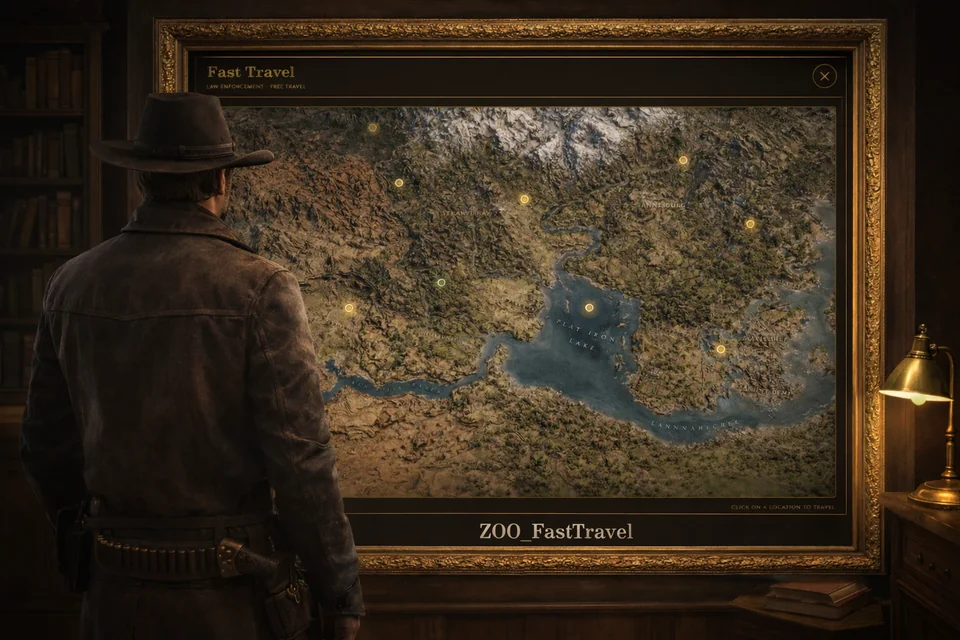
Fast travel between towns. Players walk up to a travel point, open a map menu, pick a destination and are taken there, with the price worked out by distance, job rules and an optional VIP pass.
Features
- Nine towns ready to use: Valentine, Rhodes, Saint Denis, Blackwater, Strawberry, Armadillo, Tumbleweed, Annesburg and Van Horn. Add your own or turn any of them off.
- An NPC at every travel point, with its own model per location, and a map blip.
- Distance pricing. A price per metre, a minimum and a maximum, a free distance, and rounding. Or give a location a fixed price.
- Opening hours for each location, or open all day.
- Real travel time between towns, with an optional cinematic camera over the destination that players can skip.
- VIP pass. Players buy a subscription with a command and then travel for free until it ends.
- Job rules. Limit travel to some jobs, and let other jobs travel free from a given rank.
- A Discord log of travels, VIP purchases and expired VIP passes.
- UI sounds and a colour theme for the menu.
Requirements
oxmysql, which stores the VIP passes- A framework: VORP, RSG (also called
redemin the config) or QBR
Installation
Put the resource folder in your
resourcesfolder.Add it to
server.cfgafter your framework andoxmysql:iniensure oxmysql ensure vorp_core # or rsg-core ensure zoo_fasttravelOpen
config.luaand setConfig.Framework.Start the server. The VIP table (
fast_travel_vip) is created automatically.sql/fast_travel_vip.sqlis included if you prefer to run it by hand.Each location's
imagefield names a picture inhtml/images/(300 x 160 pixels is recommended, and.jpg,.pngor.webpwork). The file name must match theimagefield.
Using it
- Walk up to a travel point. The NPC is standing there.
- Press G to open the menu. The key is
Config.PromptKey. - Pick a destination.
The /travel command opens the menu from anywhere, and it is off until you set Config.CommandEnabled = true.
Commands
| Command | What it does |
|---|---|
/buyvip | buys the VIP pass (Config.VIP.command) |
/myvip | shows how long the VIP pass has left (Config.VIP.checkCommand) |
/travel | opens the travel menu, when Config.CommandEnabled is on (Config.CommandName) |
Configuration
Everything is in config.lua.
General
Config.Framework = 'vorp'            -- 'vorp' | 'redem' (rsg) | 'qbr'
Config.UseSound = true
Config.InteractionDistance = 5.0
Config.FadeTime = 1000               -- screen fade duration (ms)
Config.CommandEnabled = false
Config.CommandName = 'travel'
Config.UITheme = "gold"              -- gold, red, blue, green, orange, white, purple
Config.PromptText = "Open"
Config.PromptKey = 0x760A9C6F        -- G
Travel time
Config.TravelTime = {
    enabled = true,          -- false = instant
    useConfigTime = true,    -- use the time written on each location
    defaultTime = 5,         -- seconds, when a location has none
    minTime = 10,            -- shortest travel, in seconds
    maxTime = 40,            -- longest travel, in seconds
    showProgress = false,
    areaLoadTime = 1500,     -- ms to let the area load: raise it if you see render issues
}
Cinematic view
Config.CinematicTrain = {
    enabled = true,
    cameraRadius = 60.0,
    cameraHeight = 30.0,
    rotationSpeed = 0.12,
    allowSkip = true,        -- Backspace skips it
    textColor = "red",
}
Distance pricing
A location with price = -1 uses this. A location with a number uses that number.
Config.DynamicPricing = {
    enabled = true,
    pricePerMeter = 0.01,    -- 0.01 = $1 per 100 m
    minPrice = 0,
    maxPrice = 50,           -- the cap
    freeDistance = 500,      -- metres that cost nothing (0 to disable)
    roundToNearest = 1,
}
For example, 1000 m costs 1000 x 0.01 = $10.
VIP pass
Config.VIP = {
    enabled = true,
    price = 1000,
    duration = 7,            -- days
    freeTravelForVIP = true,
    command = "buyvip",
    checkCommand = "myvip",
}
Jobs
Config.Jobs = {
    requiredJobs = {
        enabled = false,         -- true = only these jobs can travel
        vipCanBypass = false,    -- true = VIP players can travel without the job
        jobs = { "police", "sheriff", "taxi", "stagecoach" },
        message = "You need a transport job to use fast travel!",
    },
    freeTravel = {
        enabled = true,
        jobs = {
            { name = "police",  minRank = 0 },
            { name = "sheriff", minRank = 0 },
            { name = "lawman",  minRank = 1 },
        },
    },
}
Restrictions
Config.Restrictions = {
    disableControlsDuringTravel = true,
    hideCurrentLocation = true,   -- hide the town you stand in from the menu
}
Discord log
Config.Webhook = {
    enabled = true,
    url = "",                     -- your Discord webhook URL
    logTravel = true,
    logVIPPurchase = true,
    logVIPExpired = false,
    botName = "Fast Travel Log",
    avatarUrl = "",
    color = 16766720,
}
Adding a location
exitPoint is where the player stands to travel from this town, and entryPoint is where they arrive when travelling to it. Set hours to nil to be open all day.
{
    name = "Your Location",
    exitPoint  = vector4(x, y, z, heading),
    entryPoint = vector4(x, y, z, heading),
    npcCoords  = vector4(x, y, z, heading),
    npcModel   = "U_M_M_RhdTrainStationWorker_01",
    price = -1,                        -- -1 = distance pricing, or a fixed number
    image = "location.jpg",            -- in html/images/
    desc = "Description",
    time = "25 sec",
    hours = { open = 7, close = 22 },  -- 7 AM to 10 PM
    enabled = true,
    blip = true,
},
Map blips
Config.Blips = { enabled = true, sprite = 784218150, name = "Fast Travel" }