
💣 Landmines
VORP RSG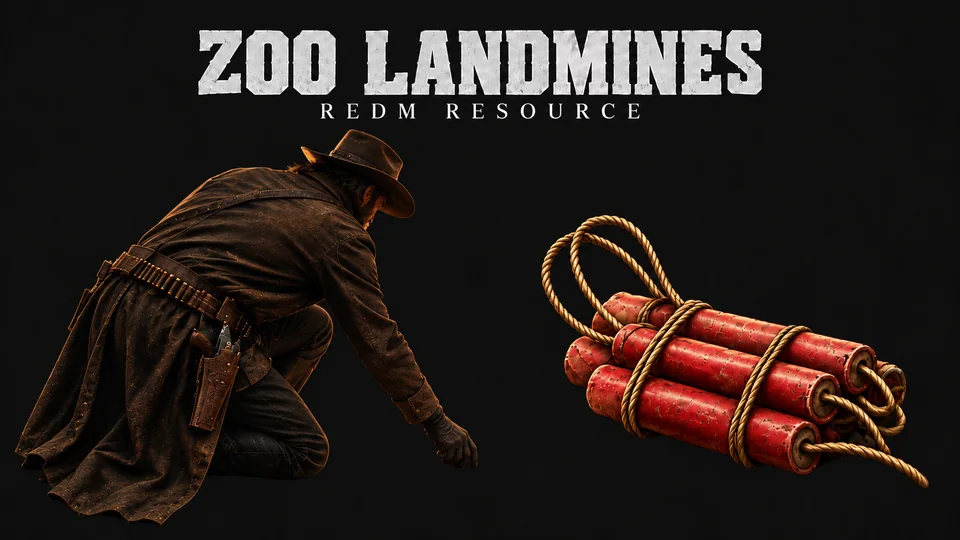
Buried explosive traps for RedM. A player uses a landmine item, kneels down and plants it in the ground, and it stays there, invisible to everyone else, until someone walks over it.
Features
- Hidden traps. The planted mine is only visible to the player who planted it. Everyone else sees nothing at all: a real ambush, not a marker on the ground.
- Immersive planting. The player kneels and works the soil (a game scenario), with a themed progress bar. Movement is locked during the animation, but the camera stays free.
- Guaranteed kill. Two blasts back to back, and the server kills every player caught inside the lethal radius, so nobody survives on lag or luck.
- Shoot to detonate. The mine can be set off from a distance by shooting it.
- Planter immunity. You never step on your own mine, and only you can defuse it.
- Defusing. Hold a key next to your own mine to disarm it and get the item back.
- Persistent. Mines are stored in MySQL with the planter's identity and coordinates, and come back armed after a server restart. Their lifetime keeps counting across restarts.
- Town protection. Planting can be blocked per town, using the game's own zone system.
- Map blip. The planter sees their own mines on the map (red by default).
- Optimised. Split slow and fast watchers: about 0.02 ms in
resmonstanding next to a mine. - 3 languages included: English, Spanish and French.
- Licence protected. Every file carries an anti-rename lock, and the server stops the resource outright if the folder was renamed.
Framework
The script detects your framework on start, nothing to set up:
Config.Framework = 'auto' -- 'auto' | 'vorp' | 'rsg'Force it only if you run both cores side by side. On boot the console prints which one was picked:
[zoo_landmines] Framework bridge loaded: vorpRequirements
| VORP | RSG | |
|---|---|---|
| Core | vorp_core | rsg-core |
| Inventory | vorp_inventory | rsg-inventory |
| Database | oxmysql | oxmysql |
| Notifications | zoo_notifications | zoo_notifications |
zoo_notifications is a free resource on GitHub.
Installation
Drop the
zoo_landminesfolder into yourresourcesdirectory.The folder must be named exactly
zoo_landmines, because the resource is name-locked.Add it to
server.cfgafter its dependencies.iniensure oxmysql ensure vorp_core ensure vorp_inventory ensure zoo_notifications ensure zoo_landminesiniensure oxmysql ensure rsg-core ensure rsg-inventory ensure zoo_notifications ensure zoo_landminesStart the server. The
zoo_landminesMySQL table is created automatically on both frameworks, so no SQL import is needed for it.Add the item. See the next section for your framework.
The image file name must match Config.Item, so if you rename the item in config.lua, rename the image to match.
The item on VORP
Done for you. The landmine item is written into your items table on first start. Then copy the icon:
zoo_landmines/item_image/landmine.png -> vorp_inventory/html/img/items/landmine.pngThe item on RSG
The script never edits rsg-core or rsg-inventory itself, because those are often read-only or escrow-protected. So the item is added by hand, once.
1. Add the item. Open rsg-core/shared/items.lua and paste this line inside the items table (anywhere before its closing }):
landmine = { name = 'landmine', label = 'Landmine', weight = 500, type = 'item', image = 'landmine.png', unique = false, useable = true, shouldClose = true, description = 'A buried explosive trap. Use it to plant a mine.' },If you changed Config.Item in config.lua, replace both landmine names above and the image file name with your own item name.
2. Add the icon. Copy the image that ships with this resource:
zoo_landmines/item_image/landmine.png -> rsg-inventory/html/images/landmine.pngThe file name must match the item name, or the inventory shows an empty slot.
3. Restart the whole server, not just this resource. rsg-inventory reads the item list once, while it starts.
To check it worked, give yourself one and try it:
/giveitem 1 landmine 1How it works
- The player uses the landmine item from their inventory.
- They kneel and plant it while a progress bar runs. The mine appears in the ground when the animation finishes.
- After a short arming delay the mine goes live.
- Any other player who walks within the trigger radius sets it off: two blasts, guaranteed kill.
- The planter can walk over it safely, sees it on their map, and can hold the defuse key next to it to recover the item.
- Mines that are never triggered disappear on their own after the configured lifetime.
Configuration
Everything below lives in config.lua. Text lives in locale.lua.
| Option | Default | What it does |
|---|---|---|
Config.Framework | 'auto' | 'auto', 'vorp' or 'rsg' |
Config.Item | 'landmine' | inventory item that plants a mine |
Config.Locale | 'en' | 'en', 'es' or 'fr' |
Mine.triggerRadius | 3.5 | metres that set the mine off |
Mine.maxPerPlayer | 5 | live mines one player may have out |
Mine.lifetime | 1440 | minutes until an untouched mine despawns (0 = never) |
Defuse.enabled | true | allow defusing at all |
Defuse.key | 0xCEFD9220 | key to hold (E) |
Defuse.distance | 1.5 | metres to show the prompt |
Defuse.holdTime | 2000 | milliseconds to hold the key |
Defuse.giveBack | true | return the item on a successful defuse |
SafeZones.towns | all false | set a town to true to block planting there |
Blip.enabled | true | show a blip on your own mines |
Blip.modifier | BLIP_MODIFIER_DEBUG_RED | blip tint (false = no tint) |
Blocking a town
Config.SafeZones.towns = {
    ['valentine']  = true,    -- planting blocked in Valentine
    ['StDenis']    = false,   -- allowed
}
All 24 towns are listed and set to false by default, so mines are allowed everywhere until you decide otherwise. If a player tries to plant in a blocked town, the item is returned to them.
Database
Created automatically on start:
CREATE TABLE IF NOT EXISTS `zoo_landmines` (
    `id`          INT NOT NULL AUTO_INCREMENT,
    `identifier`  VARCHAR(64)  NOT NULL DEFAULT '',   -- steam / license of the planter
    `charid`      VARCHAR(64)  NOT NULL DEFAULT '',   -- VORP charIdentifier / RSG citizenid
    `name`        VARCHAR(64)  NOT NULL DEFAULT '',   -- character name
    `coords`      VARCHAR(96)  NOT NULL,              -- "x, y, z" ready to copy
    `planted_at`  TIMESTAMP    NOT NULL DEFAULT CURRENT_TIMESTAMP,
    PRIMARY KEY (`id`)
);
Ownership is tracked by charid, so immunity, the blip and defuse rights keep working after any restart. The coords column stores plain x, y, z values you can copy straight into a script.
Anti-abuse
- Every trigger, plant and defuse is validated server side (distance, ownership, cooldown). The client is never trusted.
- Planting is a two-step handshake, so the item cannot be duplicated by spamming the use action.
- The kill is decided by the server, so a player cannot avoid it by lagging out.