
📏 Scale
VORP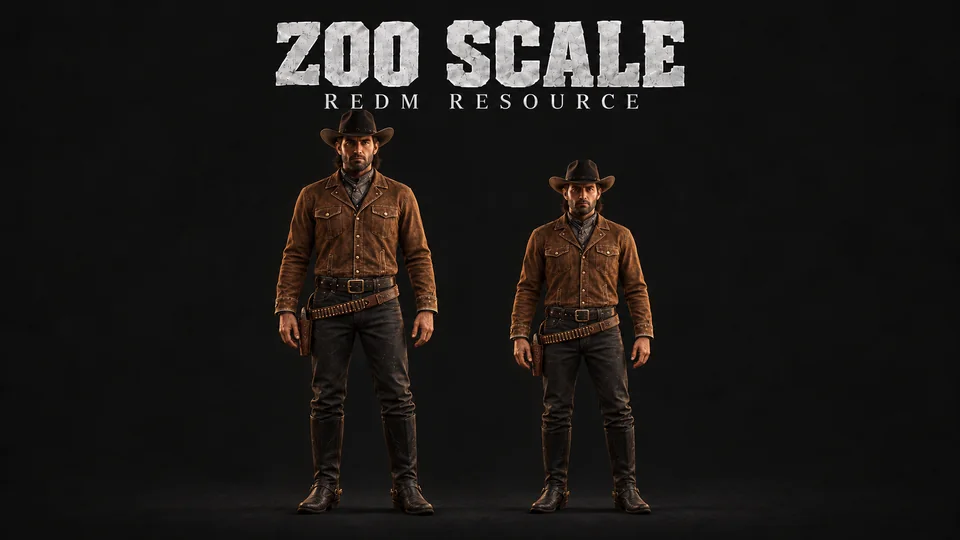
A character customization script for RedM servers. Players adjust their character's height and change their name in a Western-themed editor with a live preview, and admins manage every player from a panel.
Features
For players
- A height editor, inside a range you set (0.85 to 1.15 out of the box).
- Preset buttons for quick picks: Very Short, Short, Below Avg, Above Avg, Tall, Very Tall.
- A name editor for the first and last name.
- A transparent clone and a camera, so the player sees the change before saving. The preview light can be switched on and off.
- Payment in cash, gold, or the player's choice of the two.
/zoofixto re-apply the saved height after a death or when it does not sync to other players.
For admins
- An admin panel with every online player, a scale history of everyone who ever used the script (offline players too), and a mass reset with a warning first.
- Per player: set the height (0.50 to 2.00), set the name, reset, ban or unban from the script, and set how many characters they may edit.
- Every action can be logged to Discord.
Protection
- Cooldowns: 60 minutes between height changes and 10 minutes between
/zoofixuses (both configurable). - A ban list, so a player can be blocked from the script.
- The editor can be restricted to outside of towns.
- A version check on start.
Requirements
| Resource | Why |
|---|---|
zoo_input | the input windows. A free resource on GitHub |
vorp_core | framework |
vorp_character | the character's saved skin |
oxmysql | storage |
Installation
Install zoo_input first.
Put the
zoo_scalefolder in yourresourcesfolder.Add it to
server.cfg:iniensure zoo_input ensure zoo_scaleRestart the server. The tables are created on first start.
database.sqlis included if you prefer to run it by hand.
Commands
| Command | Who | What it does |
|---|---|---|
/scale | everyone | opens the character editor |
/scaleadmin | admins | opens the admin panel |
/zoofix | everyone | re-applies the saved height (10 minute cooldown) |
The two command names can be changed with Config.Command and Config.AdminCommand.
Configuration
Everything is in shared/config.lua. Language texts are in locales.lua: English, Spanish, French, German and Portuguese.
General
Config.Language = "en"            -- "en", "es", "fr", "de", "pt"
Config.Debug    = false
Config.RequireOutsideTown = true  -- players must leave town to open the editor
Height
Config.MinScale     = 0.85        -- smallest height a player can pick
Config.MaxScale     = 1.15        -- tallest height a player can pick
Config.DefaultScale = 1.001       -- 1.001 instead of 1.0 avoids a RedM rendering issue

-- false = players can edit every character | true = only ONE character per account
Config.LimitScalePerPlayer = false
The presets in the editor come from Config.Presets, a list of { label, value } pairs.
Name
Config.NameMinLength         = 2
Config.NameMaxLength         = 20
Config.PreventDuplicateNames = true  -- block names that already exist on the server
Prices
Both enabled: the player chooses cash or gold. One enabled: the player pays that one. Both off: free.
Config.Payment = {
    scale = {
        cash = { enabled = true, amount = 50 },
        gold = { enabled = true, amount = 2  },
    },
    name = {
        cash = { enabled = true, amount = 100 },
        gold = { enabled = true, amount = 5   },
    },
}
Cooldowns
Config.Protection = {
    enabled        = true,
    zoofixCooldown = 10,   -- minutes between /zoofix uses
    scaleCooldown  = 60,   -- minutes between height changes
}
Preview
Config.Camera = { enabled = true, distance = 3.0, height = 0.5, fov = 50.0 }

Config.ClonePreview = {
    enabled = true,
    offset  = 1.0,     -- gap between the player and the preview clone (m)
    alpha   = 180,     -- clone transparency (0-255, lower = more transparent)
    lightEnabled   = true,
    lightIntensity = 10.0,
    lightRadius    = 10.0,
    lightColor     = { r = 255, g = 240, b = 220 },
}
The preview light works best at night, daylight overpowers it.
Admin
-- Checked against the CHARACTER group (characters.group in the database).
Config.AdminGroups = { "admin", "superadmin", "moderator" }

-- Admins can set heights outside the player range:
Config.AdminMinScale = 0.50
Config.AdminMaxScale = 2.00
Discord log
Config.Webhook = {
    enabled   = true,
    url       = "",              -- paste your Discord webhook URL here
    botName   = "Zoo Scale",
    botAvatar = "",
    scaleChange  = true,         -- height changes
    nameChange   = true,         -- name changes
    adminActions = true,         -- admin set and reset actions
    bans         = true,         -- bans and unbans
}
Database
Tables are created automatically on first start. If you get database errors, run database.sql by hand.
| Table | Purpose |
|---|---|
zoo_scale_bans | the list of players banned from the script |
zoo_scale_used | who used the script, for the scale history |
A character's scale itself is saved in VORP's characters table, in the skinPlayer column.
Exports
Server:
GetPlayerScale(playerId)SetPlayerScale(playerId, scale)IsPlayerBanned(playerId)
Client:
GetCurrentScale()OpenUI()OpenAdminUI()
Troubleshooting
The height resets after a death. Use /zoofix. It reloads the character through vorp_character's own systems.
The character disappears at scale 1.0. The script converts 1.0 to 1.001 for you.
The height does not sync to other players. Use /zoofix, or ask an admin to reset you.
The admin panel does not open. Check that your character's group is listed in Config.AdminGroups.
The scale history shows an error. The column in your characters table must be called skinPlayer, not skin.
Database errors. Run database.sql by hand.